CapCut Pro Review 2026: The Video Editor We Reach For First
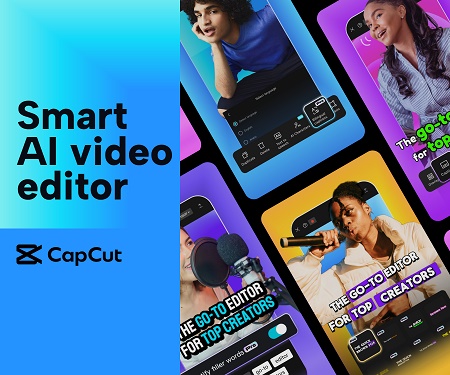
Good video used to mean expensive software and a steep learning curve. CapCut flipped that. It made professional editing feel approachable, whether you are cutting a quick social clip on your phone or building a polished promo on a laptop. After using it across dozens of projects, it is the editor we recommend to anyone who wants results that look great without spending weeks learning a complicated program.
Our verdict
CapCut hits a rare balance: easy enough for a beginner to make something good on day one, but deep enough that professionals keep using it. The AI tools genuinely save time, the template library gets you started fast, and CapCut Pro unlocks the features that make your videos stand out. For the price, it is the best value in video editing right now.
What CapCut actually is
CapCut is a video editing app that works on phone, tablet, desktop, and in the browser, with your projects syncing across them. It covers the full range from quick trims and captions to multi-layer edits with effects, transitions, and color grading. The free version is capable on its own, and CapCut Pro adds the advanced tools, premium effects, more storage, and an expanded asset library that serious creators rely on.
What sets it apart is the AI layer. It can generate captions automatically, remove backgrounds without a green screen, clean up audio, and turn a rough idea into a finished clip using templates. These are the steps that normally eat the most time, and CapCut handles them in a few taps.
Who it is best for
CapCut is built for anyone who makes video regularly and wants it to look professional without a professional workflow. That includes social media creators producing daily content, small businesses making ads and product videos, marketers turning out promos at speed, and anyone who wants to edit on their phone and finish on a laptop. If video is part of how you reach people, CapCut removes most of the friction.
What we liked using it
The auto-captions alone are worth it. They are fast and accurate, and they save the tedious work of typing subtitles by hand, which matters because most social video is watched on mute. The one-click templates are the other standout. You drop in your clips and immediately have something that looks edited, which is perfect when you need volume without sacrificing quality.
On the pro side, the advanced features like keyframing, chroma key, and multi-layer editing give you real control when a project deserves it. Moving between the phone app and the desktop version is seamless, so you can start an edit on the go and finish it properly later.
Pricing and what Pro adds
CapCut has a free tier that is genuinely useful, so you can learn the app before paying anything. CapCut Pro is a subscription that unlocks the premium effects, the full template and asset library, advanced AI tools, higher quality exports, and more cloud storage. For anyone making video regularly, Pro pays for itself quickly in the time it saves and the polish it adds.
What we liked
- Easy for beginners, deep for pros
- Fast, accurate auto-captions
- One-click templates for quick results
- AI background removal and audio cleanup
- Syncs across phone, desktop, and web
Worth knowing
- Best features are behind the Pro plan
- Large projects can tax older phones
- So many effects you can over-edit
- Exports are best reviewed before posting
What happens when you click through
The link takes you to the CapCut Pro page, where you can see what the upgrade includes and start your subscription. If you have not used CapCut before, you can download the free app first to learn the basics, then upgrade to Pro once you see how much time it saves. Either way, the fastest way to judge it is to edit one real clip and watch how quickly it comes together.
Common questions
Is CapCut free?
There is a capable free version. CapCut Pro is a paid subscription that unlocks premium effects, the full asset library, advanced AI tools, and higher quality exports.
Do I need editing experience?
No. The templates and guided tools let a complete beginner make a good-looking video on the first try, while the advanced features are there when you want more control.
Can I use it on my phone and computer?
Yes. CapCut works on phone, tablet, desktop, and in a browser, and your projects sync between them so you can start in one place and finish in another.
Our recommendation
If you make video and want it to look professional without the steep learning curve, CapCut is the easiest tool to recommend. The free version lets you learn it risk free, and CapCut Pro is where it becomes a genuine time saver with the effects and AI tools that lift your content above the crowd. We suggest editing one real project in it, you will understand the appeal within a single session.